💵 Money & Bank
On OpenWar, money comes in two forms:
| Form | Description |
|---|---|
| 🧾 Bills ("Money" item) | Physical cash, in your inventory. It can be stolen, and you drop it on death. |
| 🏦 Bank balance | Money kept safe in your account, used for the Casino, /pay, etc. |
💡 The idea: you collect bills (from Crates, by selling to a Trader…), then deposit them at the bank to keep them safe and spend them.
🏦 Where to find the bank
The bank is at spawn. Right-click the bank terminal to open the BANK window:
- Your balance is shown at the top.
- DEPOSIT ALL BILLS button: turns all the bills in your inventory into bank balance.
- WITHDRAW section: take your money back as bills.
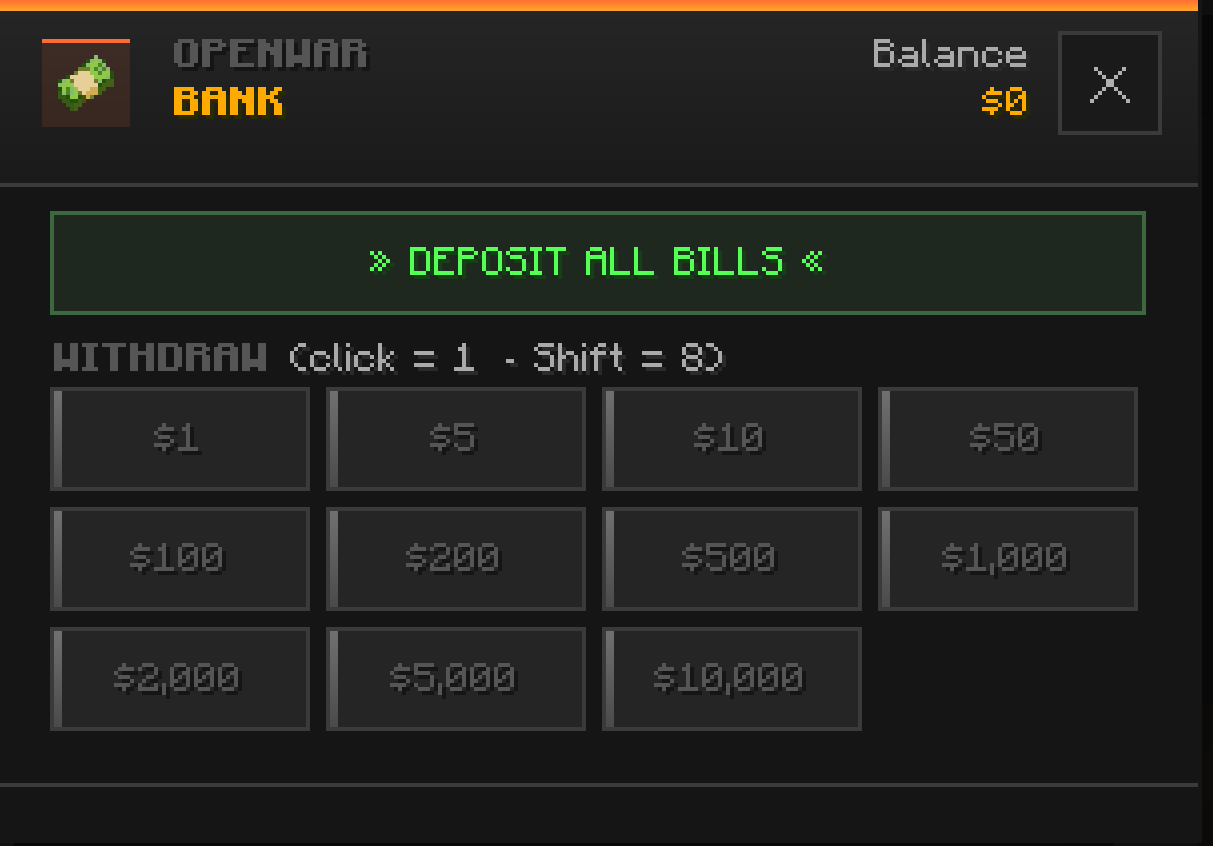
Depositing / Withdrawing
| Action | How |
|---|---|
| Deposit everything | Click DEPOSIT ALL BILLS |
| Withdraw 1 bill | Click a denomination |
| Withdraw 8 bills | Shift + click a denomination |
Each withdraw button matches a denomination (a bill value), from the smallest to the largest.
⌨️ Money commands
| Command | Alias | Effect |
|---|---|---|
/balance [player] |
/bal, /money |
Check your balance (or another player's) |
/pay <player> <amount> |
— | Send money to a player (account to account) |
💸
/paytransfers from your bank balance to the recipient's — no need to hand over bills. You can't pay yourself, and you need enough balance.
🛠️ Admin commands
| Command | Effect |
|---|---|
/eco give <player> <amount> |
Give money |
/eco take <player> <amount> |
Take money away |
/eco set <player> <amount> |
Set the exact balance |
/eco reset <player> |
Reset the balance to 0 |
💬 In-game messages
| Situation | Message |
|---|---|
| Deposit successful | 🟢 Deposited $amount |
| Withdrawal successful | 🟢 Withdrew Nx $amount |
| Nothing to deposit | ⚪ No bills to deposit. |
| Not enough money | 🔴 Insufficient balance. |
➡️ See also: Casino · Crates · Trader · Faction Shop