🖥️ HUD & Themes
The HUD is everything displayed on screen while you play (on top of your inventory).
👁️ What you see on screen
| Element | When / where |
|---|---|
| 🪖 OpenWar | version | Always, bottom-right |
| ✨ XP gain bar | Appears when you earn XP (with your level) |
| 🏰 Territory name | When you enter a claim, the owning faction's name is shown |
| 🟩 Chunk border | When you claim a chunk or with /f border |
| ☢️ Building control | In the Warzone, near the capture point (who controls it) |
| 🚁 Extraction countdown | In the Warzone, inside the extraction zone |
| 💬 Announcements | Votes, captures, events… in the chat |
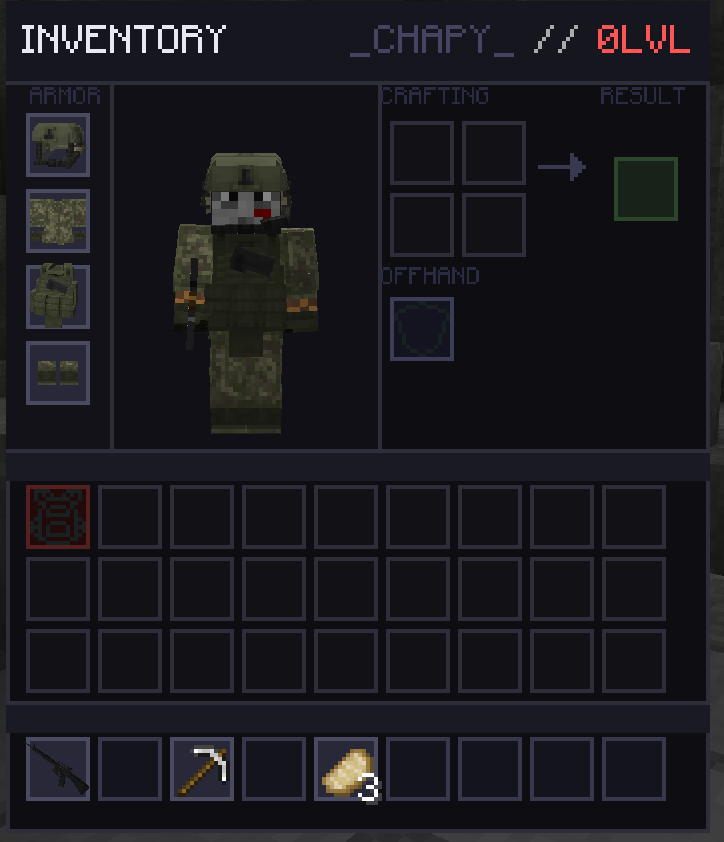
🎨 The menu style
All of OpenWar's menus (stats, faction, casino, bank, vote, crates…) share a modern dark style with colored accents and animations, designed to be readable and clean.
Color themes
The statistics menus come in 5 color skins:
| Theme | Vibe |
|---|---|
| Original Dark | Classic black/gray |
| Carbon Steel | Dark steel |
| Crimson Shadow | Blood-red tint |
| Silver Chrome | Light silver/chrome |
| Industrial Red | Industrial red |
ℹ️ The theme used depends on the server configuration.
➡️ See also: Stats Menu · Getting started